
142 lines
4.3 KiB
Plaintext
142 lines
4.3 KiB
Plaintext
Metadata-Version: 2.1
|
|
Name: rclone-python
|
|
Version: 0.1.12
|
|
Summary: A python wrapper for rclone.
|
|
Home-page: https://github.com/Johannes11833/rclone_python
|
|
Author: Johannes Gundlach
|
|
Keywords: rclone,wrapper,cloud sync
|
|
Classifier: Programming Language :: Python :: 3
|
|
Classifier: License :: OSI Approved :: MIT License
|
|
Classifier: Operating System :: OS Independent
|
|
Requires-Python: >=3.6
|
|
Description-Content-Type: text/markdown
|
|
License-File: LICENSE
|
|
Requires-Dist: rich
|
|
|
|
[](https://choosealicense.com/licenses/mit/)
|
|
[](https://badge.fury.io/py/rclone-python)
|
|
|
|
# rclone-python ☁️
|
|
|
|
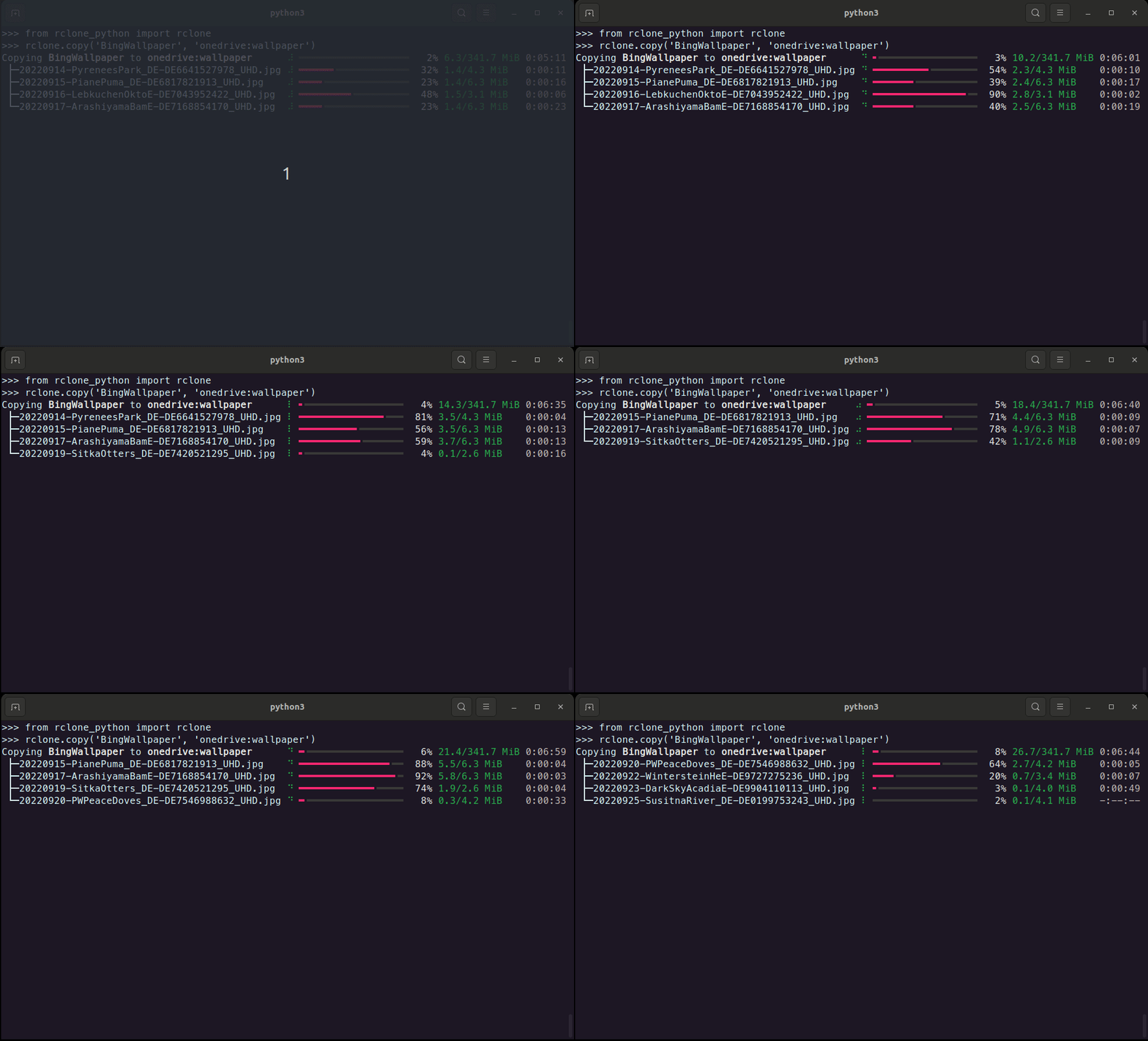
A python wrapper for rclone that makes rclone's functionality usable in python.
|
|
rclone needs to be installed on the system for the wrapper to work.
|
|
|
|
|
|
|
|
## Features ⚒️
|
|
|
|
- Copy, move and sync files between remotes
|
|
- Delete and prune files/directories
|
|
- List files in a directory including properties of the files.
|
|
- List available remotes.
|
|
- Generate hashes from files or validate them with their hashsum.
|
|
- Create new remotes
|
|
- Check available remotes
|
|
- Create and manage public links.
|
|
- Check the currently installed rclone versions and if updates are available.
|
|
|
|
## Installation 💾
|
|
|
|
_rclone_python_ can be installed using pip
|
|
|
|
```shell
|
|
pip install rclone-python
|
|
```
|
|
|
|
or by cloning this repository and running from within the root of the project
|
|
|
|
```shell
|
|
pip install .
|
|
```
|
|
|
|
## How to use 💡
|
|
|
|
All functionally of this wrapper is accessible through `rclone`.
|
|
The following example checks if rclone is installed.
|
|
|
|
```python
|
|
from rclone_python import rclone
|
|
|
|
print(rclone.is_installed())
|
|
```
|
|
|
|
```console
|
|
True
|
|
```
|
|
### Create new remote
|
|
|
|
Create a new rclone remote connection with rclone's default client-id and client-secret.
|
|
|
|
```python
|
|
from rclone_python import rclone
|
|
from rclone_python.remote_types import RemoteTypes
|
|
|
|
rclone.create_remote('onedrive', RemoteTypes.onedrive)
|
|
```
|
|
|
|
Additionally, client-id and client-secret can be used with many cloud providers.
|
|
|
|
```python
|
|
from rclone_python import rclone
|
|
from rclone_python.remote_types import RemoteTypes
|
|
|
|
rclone.create_remote('onedrive', RemoteTypes.onedrive, client_id='YOUR_CLIENT_ID', client_secret='YOUR_CLIENT_SECRET')
|
|
```
|
|
|
|
### Copy
|
|
|
|
```python
|
|
from rclone_python import rclone
|
|
|
|
# copy all file in the test_dir on OneDrive to the local data folder.
|
|
rclone.copy('onedrive:data', 'data', ignore_existing=True, args=['--create-empty-src-dirs'])
|
|
```
|
|
|
|
|
|
```console
|
|
Copying onedrive:data to data ⠸ ━━━━━━━━━━━━━━━━━━╸━━━━━━━━━━━━━━━━━━━━━ 47% 110.0/236.5 MiB 0:00:04
|
|
├─video1.webm ⠸ ━━━━━━━━━━━━╺━━━━━━━━━━━━━━━━━━━━━━━━━━━ 31% 24.4/78.8 MiB 0:00:06
|
|
├─video2.webm ⠸ ━━━━━━━━━━━━━━━━━━╺━━━━━━━━━━━━━━━━━━━━━ 45% 35.5/78.8 MiB 0:00:03
|
|
└─video3.webm ⠸ ━━━━━━━━━━━━━╸━━━━━━━━━━━━━━━━━━━━━━━━━━ 35% 27.6/78.8 MiB 0:00:05
|
|
```
|
|
|
|
### Delete
|
|
|
|
Delete a file or a directory. When deleting a directory, only the files in the directory (and all it's subdirectories)
|
|
are deleted, but the folders remain.
|
|
|
|
```python
|
|
from rclone_python import rclone
|
|
|
|
# delete a specific file on onedrive
|
|
rclone.delete('onedrive:data/video1.mp4')
|
|
|
|
```
|
|
|
|
### Prune
|
|
|
|
```python
|
|
from rclone_python import rclone
|
|
|
|
# remove the entire test_dir folder (and all files contained in it and it's subdirectories) on onedrive
|
|
rclone.purge('onedrive:test_dir')
|
|
```
|
|
|
|
### Get Hash
|
|
```python
|
|
from rclone_python import rclone
|
|
from rclone_python.hash_types import HashTypes
|
|
|
|
print(rclone.hash(HashTypes.sha1, "box:data")
|
|
```
|
|
```console
|
|
{'video1.webm': '3ef08d895f25e8b7d84d3a1ac58f8f302e33058b', 'video3.webm': '3ef08d895f25e8b7d84d3a1ac58f8f302e33058b', 'video2.webm': '3ef08d895f25e8b7d84d3a1ac58f8f302e33058b'}
|
|
```
|
|
|
|
## Debug
|
|
For debugging progress related functionality, set the DEBUG flag to true:
|
|
```python
|
|
rclone.DEBUG = True
|
|
```
|
|
This will make the wrapper print the raw rclone progress.
|